Kagen Mail
Email at your own name. Private, and looked after.
you@yourbusiness.com in webmail that's a pleasure to use, on your phone and in any mail app. No ads and no tracking. We set it up and move your old mail for you, and a person answers when you call.
$3 per mailbox a month. Questions? 817-422-8663
No ads. Ever. Nobody reads your mail to sell you things, and trackers are stripped.
Lands in the inbox. SPF, DKIM and DMARC set up for you, so nobody can fake your address.
Moved for you. We copy your old mail, folders and contacts. Mail keeps arriving during the move.
A person answers. The people who run the mail servers pick up the phone.
Webmail you'll like using
Everything a business inbox needs
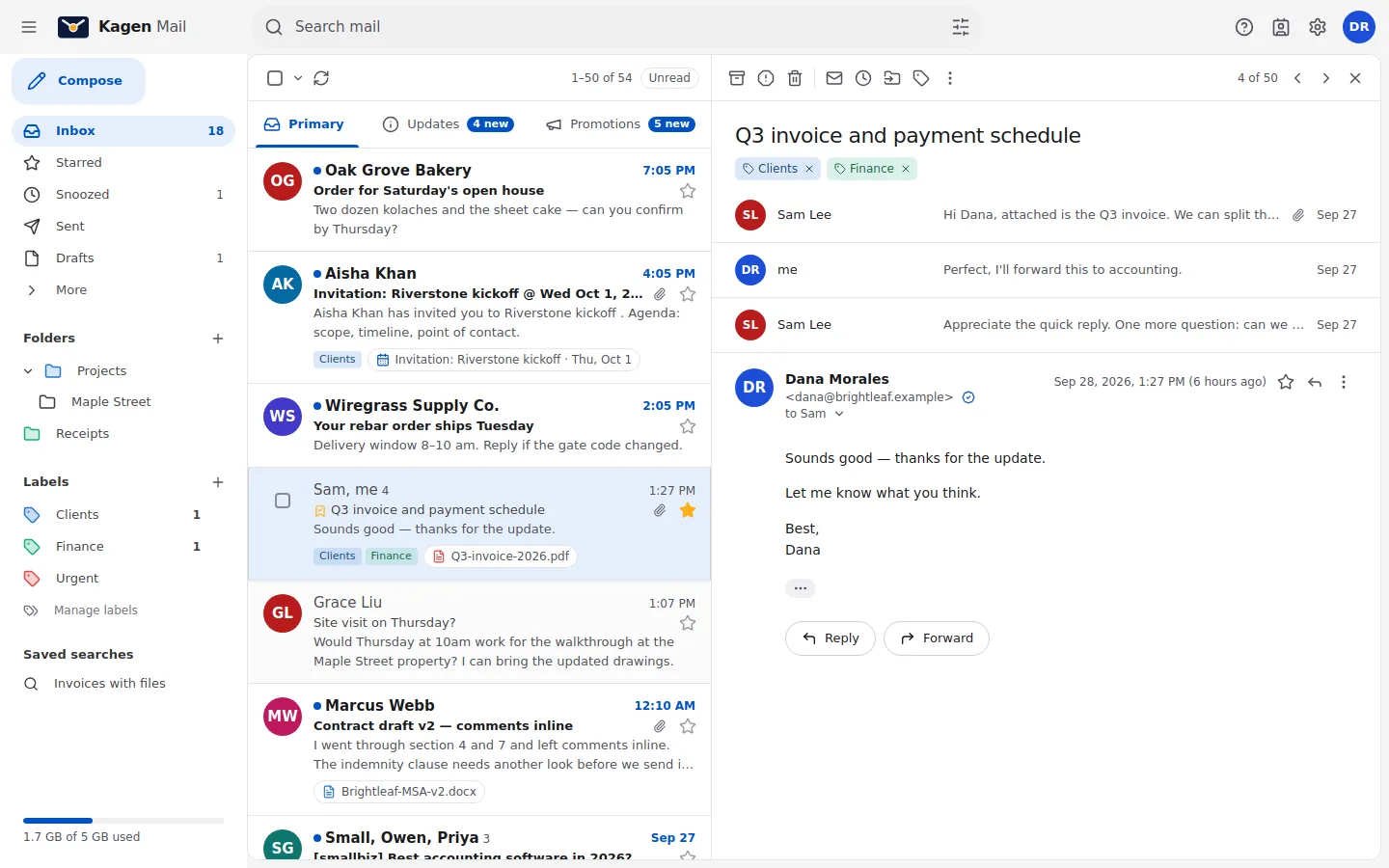
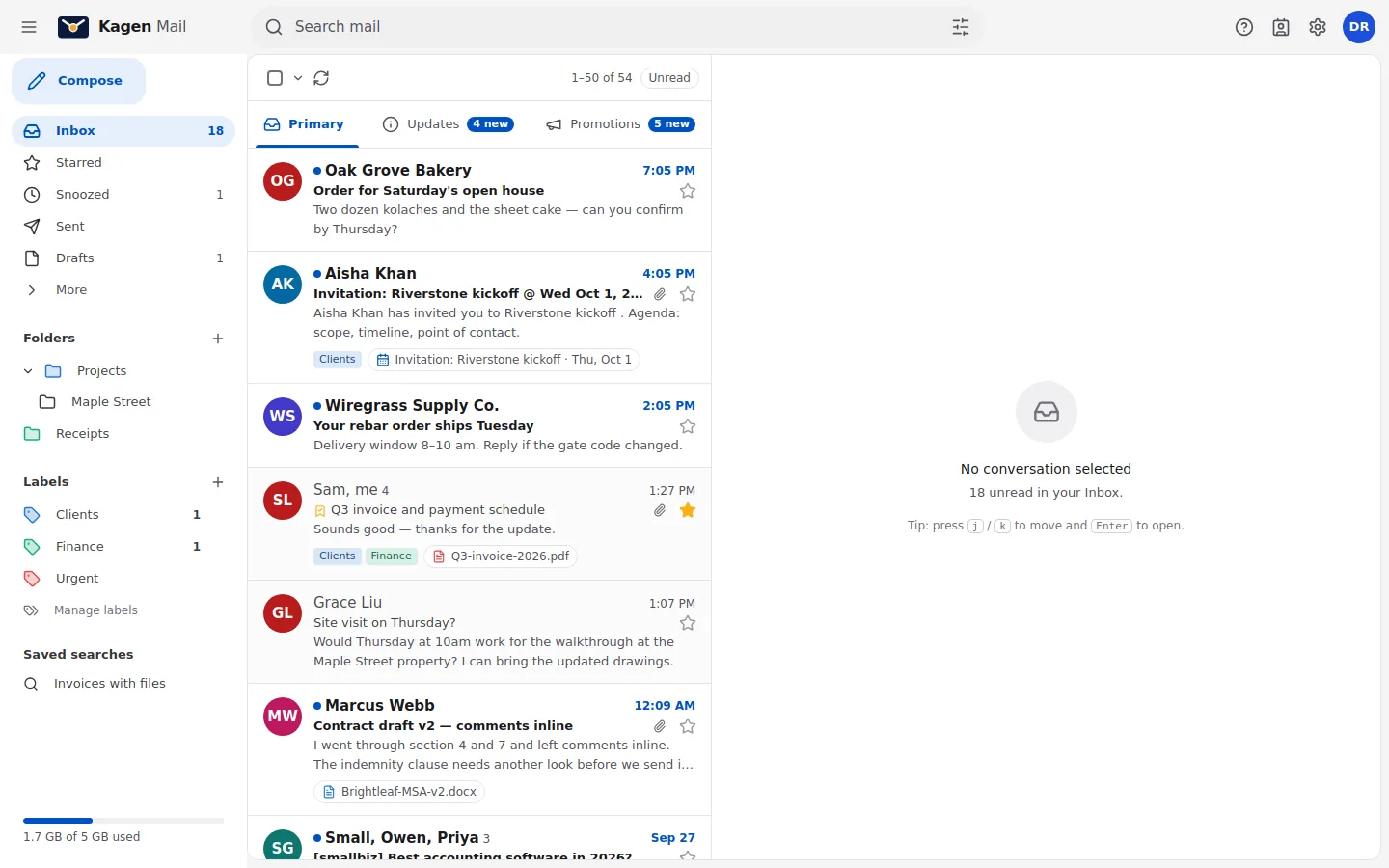
Built from scratch on our own servers, to feel as good as Gmail without anything Gmail does with your data.
Sorted before you get there
Primary, Updates and Promotions keep mail from people you work with on top. Newsletters wait until you want them.
Search that finds it
Search by sender, date, attachment or label, with operators like has:attachment when you want them.
Snooze, schedule, undo
Snooze a thread until Monday, schedule a send for 7 am, and take back a message you sent too soon.
Signatures and templates
A signature with your logo set once in the visual editor, canned replies, and send-as for info@ or billing@.
Private by default
Remote images blocked until you allow them, trackers stripped, and messages shown in a locked-down frame.
Backed up offsite
Every mailbox is backed up every night to encrypted offsite storage. Deleted the wrong folder? We bring it back.
Kagen Mail for iPhone · coming soon
Smart where it counts, and it stays on your phone
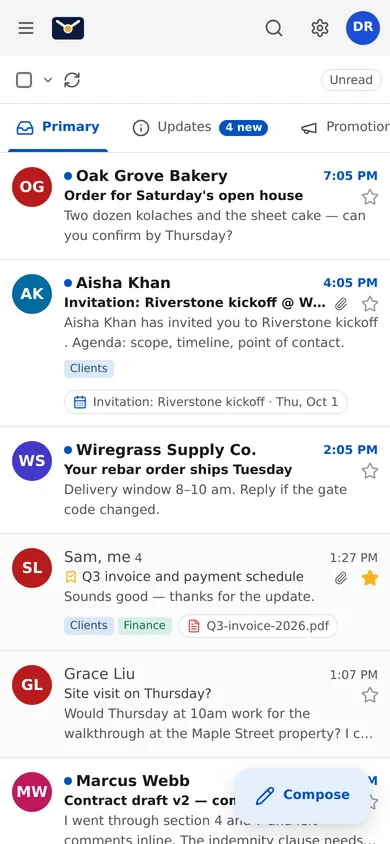
Our iPhone app is built with Apple's own tools for iOS 26. It summarizes long threads, suggests replies and polishes a draft with Apple Intelligence, which runs on the iPhone itself.
- Thread summaries and reply suggestions, made on the device
- Writing Tools in compose to fix tone and typos
- Face ID lock, widgets, and Siri: "summarize my unread mail"
Summaries and suggestions are made on your iPhone. Your mail never leaves it for this.
Until the app is in the App Store, Kagen Mail works in Safari (add it to your Home Screen) and in the iPhone's own Mail app.
Works with what you have
Keep the apps you already use
Kagen Mail is standard email underneath, so Outlook, Apple Mail, the iPhone and Android mail apps all work. Each app gets its own app password, so you can switch one off without changing the rest.
- Setup guide for every device, about two minutes each
- Shared addresses like info@ at no extra cost
- Calendar invites with Accept and Decline
For your website and apps
Send: email from your apps, done properly
Order confirmations, password resets and contact forms from your own domain, through our SMTP relay or HTTP API. Bounces, complaints and the suppression list are handled for you, with a log of every message in the portal.
Getting started
From sign-up to your first email
No card needed. A person helps you at every step, and you can do all of it with us on the phone.
- 1
Ask for Kagen Mail
Tell us your name, the domain you want email on and how many people need it. We read every request, usually within one business day.
- 2
Set up your sign-in
You get an invitation by email. Choose a passkey, or a password and an authenticator app. It's one sign-in for your mail and your account.
- 3
Connect your domain
Your account shows the exact records to change where you bought your domain and checks them for you. No domain yet? We'll help you pick and register one.
- 4
Create your mailboxes
Add an address for each person and open it at kj-mail.com. Phones and Outlook take two minutes, and we can move your old email across.
Pricing
One price per mailbox
Billed monthly by K-Jensen LLC, no contract. Shared addresses (aliases) are free.
Moving from Gmail, Outlook or GoDaddy?
Will I lose my old email?
No. We copy your existing mail, folders and contacts across, and keep your old account running until you're happy.
Do I need to change my address?
No. You keep your address at your own domain. If you don't have one yet, we'll help you pick and register it.
Can I get email without my own domain?
Yes. Take an address like yourname@kj-mail.com under Email in your account, with the same webmail, phone setup and spam filtering. It's $3 a month per address, like any mailbox, and you can move to your own domain later.
Can I keep using the Mail app on my iPhone?
Yes. Kagen Mail works with the apps you already use, and the setup guide takes about two minutes.
Do you read my email?
No. There are no ads, and nothing scans your mail for marketing. Spam and virus filtering run automatically on our own servers in the US.
Who runs Kagen Mail?
K-Jensen LLC, a company in Dothan, Alabama. It also runs Kagen Cloud, for websites and apps, and one bill covers both.
How much is it?
$3 per mailbox per month. Aliases like info@ are free. Billed monthly, no contract.
Get your whole team on email at your own name
We'll move your existing mail across and set up every phone.